 Ulike ReGlow Pro★ 5.0 (511)


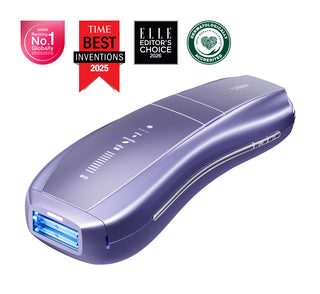
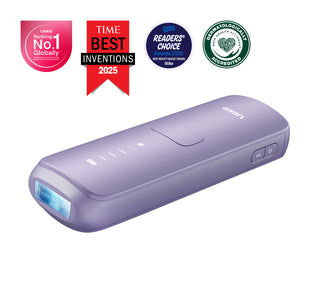


Table of Contents
How to Use a Ulike IPL Hair Removal Device
If you are looking for clear Ulike instructions, this guide walks through how to use a Ulike IPL hair removal device step by step. Many shoppers search for "Ulike laser hair removal," but Ulike devices use IPL technology for convenient at-home treatments on legs, arms, underarms, bikini line, and other suitable areas.
Before your first session, review the user manual for your specific model and make sure the treatment window is clean, your skin is dry, and you have protective eyewear ready.
Before You Start
- Shave the treatment area about 24 hours before your session unless your manual says otherwise.
- Wash away lotion, deodorant, sunscreen, and self-tanner before treatment.
- Pat skin completely dry before turning on the device.
- Start on a lower intensity level if you are new to IPL and increase only as your skin tolerates it.
Step-by-Step Ulike Instructions
Step 1: Prepare the Area
Clean the skin gently and make sure there is no visible hair above the surface. Freshly shaven, dry skin helps the light target the follicle more effectively and keeps treatment more comfortable.
Step 2: Plug In and Power On
Connect the power cord and adapter securely, then press the power button to turn on the device. Use the same button to cycle through intensity levels until you reach the setting that feels right for your skin and treatment area.
Step 3: Put On Eye Protection
Wear the recommended protective goggles before flashing the device. Never direct the treatment light toward your eyes or another person's eyes.
Step 4: Position the Device Correctly
Hold the treatment window flat against your skin at a 90-degree angle. When the contact sensor detects full skin contact, the device is ready to flash. If the sensor light does not come on, reposition the window so it sits flush against the skin.
Step 5: Flash and Move Methodically
Press the flash button and move section by section without repeatedly flashing the same spot in one session. Work in straight, overlapping passes so you cover the full area without missing patches.
Step 6: Turn Off and Store Safely
When you finish, press and hold the power button to turn the device off before unplugging it. Let the device cool if needed, wipe the treatment window clean, and store it in a dry place.
How Often Should You Use a Ulike Hair Removal Device?
Consistency matters more than intensity. A simple schedule for most users is:
- Month 1: 3 times per week
- Months 2 and 3: 2 times per week
- Maintenance: once every 1 to 2 months as needed
If your model manual gives a more specific schedule, follow that model-specific guidance first.
Common Mistakes to Avoid
- Using the device on wet skin or over skincare products.
- Skipping shaving and treating over long visible hair.
- Starting at the highest intensity without testing skin comfort.
- Flashing the same spot too many times in one session.
- Ignoring the guidance for sensitive areas or contraindications in the manual.
Troubleshooting
Why is my Ulike device not flashing?
In most cases, the contact window is not fully touching the skin, the device is not powered correctly, or the treatment area is too curved for the current angle. Reposition the device so the window is flat and check the power connection.
Do I need to shave before using IPL?
Yes. Shaving helps IPL energy reach the follicle instead of burning hair above the surface, which improves both comfort and results.
Can I use Ulike on different body areas?
Ulike IPL devices are commonly used on legs, arms, underarms, bikini line, and selected facial areas depending on the model. Always confirm body-area guidance in your product manual before treatment.
Recommended Ulike Guides
- Shop Ulike Air 10 IPL Hair Removal Device
- How to Use Ulike Air 3 IPL Device
- How to Use Ulike Air 10 IPL Hair Removal Device
- How Often Should I Use an IPL Hair Removal Device at Home?
- Watch the Ulike How-To Video Guide
FAQ
How do I use my Ulike hair removal device for the first time?
Start with clean, shaved, dry skin, choose a lower intensity level, wear eye protection, and flash the device only when the treatment window is fully in contact with your skin.
How long does it take to see results?
Results vary by hair color, body area, and consistency, but many users start to notice reduced regrowth after several weeks of regular sessions.
Is Ulike laser or IPL?
Ulike devices are IPL hair removal devices, not true laser devices. That is why the correct operating guidance is based on IPL treatment frequency, skin prep, and contact-window use.
Conclusion
Using a Ulike IPL hair removal device is straightforward when you follow a consistent routine: shave, clean, dry, choose the right intensity, flash carefully, and stay on schedule. If you want the best at-home results, pair this guide with your model-specific instructions and treatment calendar.